How to Cancel an App Subscription and Keep Proof
- Cancel through the company that bills you
- Which account actually owns the subscription?
- What should you save before cancelling?
- How do you cancel an Apple-billed subscription?
- How do you cancel a Google Play subscription?
- What if the software company bills you directly?
- What counts as useful cancellation evidence?
- What if charges continue afterward?
- Sources
Cancel through the company that bills you
To cancel an app subscription, identify who bills you, open that provider's subscription controls, complete cancellation and save the confirmation with the access-end date. Uninstalling an app is not a cancellation method. Before access changes, check export and retention terms and preserve needed data. Treat account deletion and refund requests as separate decisions, and check subsequent statements for unexpected charges.
The useful finish line is evidence: the right plan, on the right account, with renewal stopped. An empty space on your phone's home screen cannot establish any of those things.
Which account actually owns the subscription?
Start with a receipt and the matching statement entry. Write down the service, account email, billing provider, plan and next renewal date. Do not assume the account you use inside the app is also the account that paid for it.
For example, a notes service might have a personal workspace and a work workspace. Your objective is to stop the unwanted personal plan, not remove the app that opens both. That is an illustrative account mix-up, not a claim about a particular product.
Use this routing table as a starting point:
| Evidence you have | Where to check | What to establish |
|---|---|---|
| Receipt issued by Apple | Apple's subscription controls | The purchasing Apple Account |
| Receipt issued by Google Play | Google Play subscriptions | The purchasing Google Account |
| Invoice from the software company | Its official billing help and account | The billed workspace or plan |
| Subscription included through another provider | That provider's official support | Who controls renewal |
Do not send an unredacted bank statement to an app's public forum. Keep the full record privately and provide only the relevant information through the provider's official support channel.
If the payment is unfamiliar, do not assume it belongs to the app you last installed. First establish what the charge represents.
What should you save before cancelling?
Do not delete the account, remove its data or revoke access needed for an export as a shortcut to cancellation. Those actions can affect the information you are trying to preserve. Read the provider's current cancellation, export and retention documentation for your exact plan.
Our editorial checklist separates three questions:
- When does paid access end?
- What remains readable or exportable after that date?
- What happens to stored information, shared work and integrations?
If the documentation does not answer them, ask support before proceeding. For a work account, involve the billing owner and the people responsible for data retention. Do not cancel a shared service on behalf of other users without authority.
Save needed records to an approved location and open representative files independently. Include an attachment and a structured item, not just a plain text note. This is a check that the export is usable, not a guarantee that every feature transfers. Follow the fuller safe app-data migration workflow if you are moving a substantial archive.
There can be a trade-off between meeting a cancellation deadline and finishing an export. Check both immediately. Ask the provider about the actual access deadline; do not assume cancellation always preserves the rest of a free trial.
How do you cancel an Apple-billed subscription?
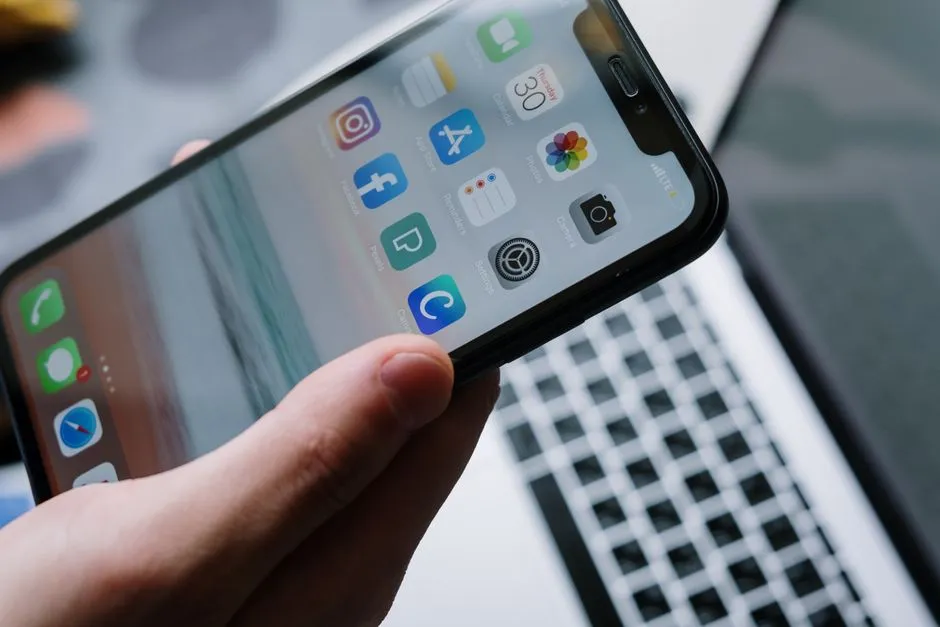
On an iPhone, open Settings, tap your name, then Subscriptions. Choose the relevant subscription and use Cancel Subscription. On that subscription's page, Apple says an absent Cancel button or a red expiration message indicates it is already cancelled. These are Apple's current instructions, not steps for every subscription used on an iPhone.
If the plan is missing, search your email for an Apple receipt and check its purchasing account. A family member must cancel a subscription purchased under their own account. Apple also directs people without an Apple receipt to identify the biller from their statement.
For Apple's free or discounted trials, its guidance says to cancel at least 24 hours before the trial ends. Do not apply that deadline to every company's trial; check its own terms.
Deleting the app will not do this job. Apple explicitly separates app deletion from subscription cancellation. Keep the billing confirmation even if you later remove the app.
How do you cancel a Google Play subscription?
On Android, open your subscriptions in Google Play, choose the plan, select Cancel subscription and finish the displayed instructions. Sign in to the Google Account that holds the purchase. If the subscription is absent, check whether you used another account. Google's cancellation guide confirms that uninstalling the app does not cancel its subscription.
Google says a cancelled subscription generally remains usable for the time already paid. A payment plan has a separate limitation: stopping renewal does not remove remaining payments owed under the current plan. Read that section if you committed to multiple payments.
Do not mistake a pause for your intended final outcome. Where offered, pausing is a distinct option; check the restart details before choosing it. Record the resulting status and dates rather than assuming every option on a retention screen stops future billing permanently.
What if the software company bills you directly?
Use the company's official help page for the plan named on your invoice. There is no universal sequence of Billing, Manage and Cancel buttons that works across direct-billed services. Giving one would create false precision.
Read each confirmation screen before advancing. In your own notes, distinguish an offer to change plans from an acknowledgement that cancellation is complete. If you choose to stay for a different offer, record its actual renewal terms; do not continue using the old cancellation checklist as though nothing changed.
If you cannot locate the control, contact official support with the account identifier, plan and relevant invoice reference. A useful message is: "I want to stop renewal of this subscription. Please confirm the cancellation procedure, effective date, remaining charges and access-end date."
This is a request for clarification, not proof the subscription has been cancelled. Keep any reply and follow up on unanswered points. The FTC's subscription guidance recommends following the company's cancellation instructions and retaining your request and conversation notes.
What counts as useful cancellation evidence?
Create one private record containing:
- The service, plan and billed account.
- When you submitted the cancellation.
- The confirmation screen, email or support response.
- The stated expiry date and any remaining payment obligation.
- Any unresolved issue and the next follow-up action.
Our recommendation is to reopen the subscription record after finishing and read its status again. This catches a simple operational problem: closing a process without knowing which screen was its last confirmation.
An expiry date and a renewal date mean different things. If the wording is unclear, ask the provider to explain whether another payment is scheduled. Do not convert "request received" into "renewal stopped" in your own notes.
A receipt for the last payment proves that payment happened; it does not, by itself, prove cancellation. Likewise, a refund request needs its own outcome. Record it separately if you want both a refund and an end to renewal.
What if charges continue afterward?
Compare the new charge with your records: account, service, payment date, cancellation date and any remaining commitment. Keep the discrepancy specific when contacting the biller. Avoid assuming that two similar statement descriptions represent the same subscription.
For US consumers, the FTC recommends checking statements after cancellation and disputing improper continued charges with the credit or debit card issuer. Its guidance also recommends written follow-up to the issuer's billing-dispute address and saving the records. Ask your issuer about the applicable process and deadlines; this is not a promise of a refund or a universal legal timetable.
If an unexpected renewal message asks for payment details, do not use its links or phone number to investigate. The FTC advises contacting a known company through a contact you know is genuine. Outside the US, use your provider, payment issuer and local consumer-protection guidance.
Finally, make the next subscription easier to leave. In your app trial evaluation, record the billing owner, cancellation route, export result and deadline before committing important work. A good exit plan starts while you still have time to use it.